“Doing more with less” has become the new normal, but most enterprises are hitting a hard ceiling: growth creates complexity faster than teams can absorb it. New products mean more workflows. More regions mean more exceptions. More regulations mean more controls. The result is familiar: overloaded operations, slow approvals, fragmented customer experiences, and employees stuck in repetitive work that drains focus and morale.
AI adoption is accelerating across industries and company sizes. McKinsey reported in their 2025 global survey that 78% of organizations use AI in at least one business function, up sharply from prior years. That “AI everywhere” reality spans hyperscalers like Amazon and Microsoft, global manufacturers, banks, and fast-moving mid-market firms.
This is where the promises of AI automation in Enterprise become practical: not just digitizing steps, but making workflows adaptive when data changes, exceptions appear, or humans need help making decisions. In this guide, SotaTek, your AI and Blockchain innovation partner, will show you where AI automation delivers value, and how to implement it responsibly. SotaTek supports organizations as a trusted advisor, helping teams design, integrate, and govern AI automation so it scales safely and delivers measurable impact.
What Is AI Automation in Enterprises?
AI automation in enterprises is the use of artificial intelligence to automate, orchestrate, and continuously improve business processes at scale. Unlike basic workflow automation or classic robotic process automation (RPA) that follows fixed rules, AI Automation in Enterprise combines techniques such as machine learning, natural language processing, computer vision, and generative AI to handle ambiguity, learn from patterns, and support human decisions.
How enterprises adapt AI automation to operations and business goals
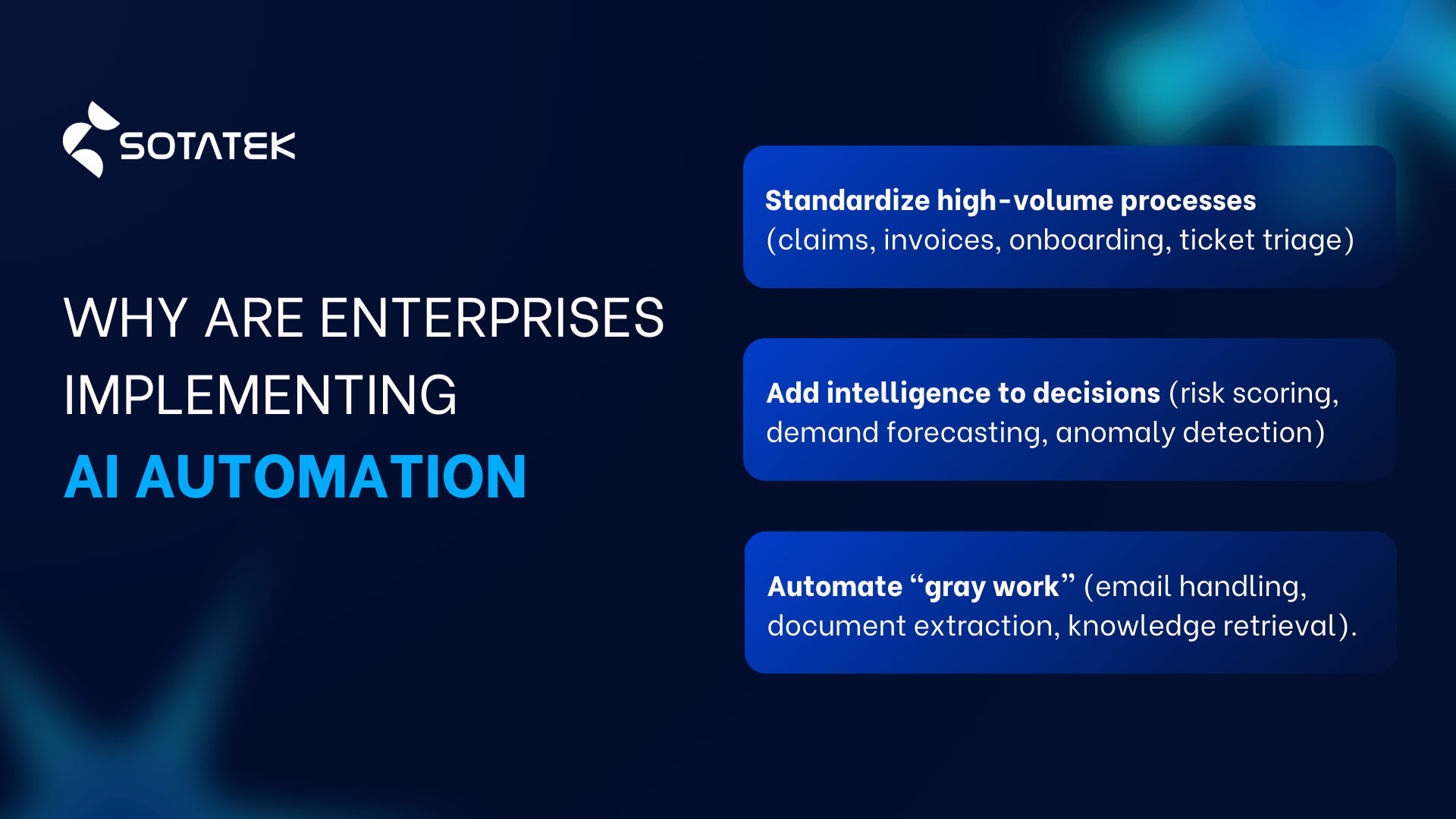
Enterprises are applying AI automation in Enterprise to:
- Standardize high-volume processes (claims, invoices, onboarding, ticket triage).
- Add intelligence to decisions (risk scoring, demand forecasting, anomaly detection).
- Automate “gray work” that is repetitive but not perfectly structured (email handling, document extraction, knowledge retrieval).
Why traditional automation struggles, and how AI changes the equation
Most automation programs run into the same friction points: exceptions, messy data, and cross-system handoffs. AI helps by:
- Understanding unstructured inputs (documents, chats, images).
- Predicting outcomes and routing work (next-best action, prioritization).
- Acting as a copiloted or agent-based layer that can execute multi-step tasks with approvals.
Done well, AI automation in Enterprise can also support employee well-being by reducing repetitive load and clarifying handoffs. Done poorly, it can increase pressure and monitoring, a risk we cover later.
Future possibilities as AI-powered automation advances
Enterprise automation is moving toward “orchestrated autonomy”: AI agents that can plan and execute multi-step workflows across tools, with policy controls and human oversight. This shift can be described as agents evolving into “virtual coworkers” that can carry out complex processes, not just generate text.
Why Traditional Automation Falls Short in Large Organizations
Rule sprawl
Rule sprawl happens when automation logic grows into hundreds or thousands of conditional “if-then” branches across teams, regions, products, and policy variations. It starts small (one workflow, a few rules) but expands as every stakeholder requests a special condition to match “how we really work.” The issue is that rule-based automation becomes difficult to maintain, test, and audit. A small policy change can break unexpected downstream steps, and teams lose confidence because no one can reliably explain why the system behaved a certain way.
Common example: An order approval workflow begins with 10 rules, then grows into a maze of region-specific VAT rules, customer-tier exceptions, product restrictions, and manual override logic. Eventually, even a simple pricing update requires multiple automation edits, regression testing, and emergency hotfixes.
Exception overload
Exception overload is what happens when real-world variability produces too many cases outside the “happy path” of traditional automation. Rule-based automation is designed for predictable inputs, but enterprise work is full of missing data, ambiguous requests, and edge-case scenarios. When exceptions become frequent, automation either fails silently, dumps work back to humans, or creates a growing queue of “needs review,” which defeats the purpose of automation and often adds extra steps (triage, rework, escalation).
Common example: A finance automation that processes invoices works fine for standard formats, but breaks when suppliers submit scanned PDFs, mixed languages, missing PO numbers, or inconsistent line-item structures. The automation routes these cases to manual review, and the manual queue becomes the new bottleneck.
Legacy system complexity
Legacy complexity refers to the reality that large organizations run on layered systems built over years: ERPs, CRMs, mainframes, custom apps, spreadsheets, and multiple integration layers. Traditional automation often relies on brittle UI scripts, rigid interfaces, or fragile mappings that don’t survive system updates. The issue is not only technical breakage, but also governance friction: security controls, access limitations, and inconsistent data definitions across systems make it hard to automate end-to-end without creating “automation glue” that is hard to support.
Common example: An RPA bot logs into a legacy ERP to copy customer updates into a CRM because there is no reliable API. A minor UI change after a software patch causes the bot to click the wrong field, leading to incorrect records and a compliance risk that takes days to identify and fix.
Scalability issues
In enterprises, “scaling automation” is not just handling more transactions. It means maintaining reliability across new teams, larger volumes, more integrations, stricter compliance requirements, and constant change. Traditional automation often scales poorly because it lacks robust monitoring, exception intelligence, version control discipline across dozens of workflows, and resilience when inputs shift. As volume increases, small error rates become major operational costs, and the automation team spends more time firefighting than improving workflows.
Common example: A customer support automation auto-routes tickets based on keywords. As the business launches new products and channels, the keyword routing becomes inaccurate, misroutes spike, and agents waste time reassigning cases. Ticket backlogs grow even though “automation coverage” looks high on paper, because the system cannot adapt to new language patterns and evolving customer requests.
Core Benefits of AI Automation in Enterprises
AI automation in enterprises delivers measurable strategic impact, but understanding the benefits of AI automation requires looking beyond surface-level efficiency gains. For large organizations, value is created when intelligent systems reduce operational complexity, enhance decision accuracy, and enable scalable growth without proportionally increasing costs or headcount.
The benefits of AI automation are not limited to faster task execution. They reshape how enterprises manage risk, allocate resources, integrate systems, and sustain long-term digital transformation initiatives. Below are the core benefits of AI automation that drive competitive advantage at the enterprise level.
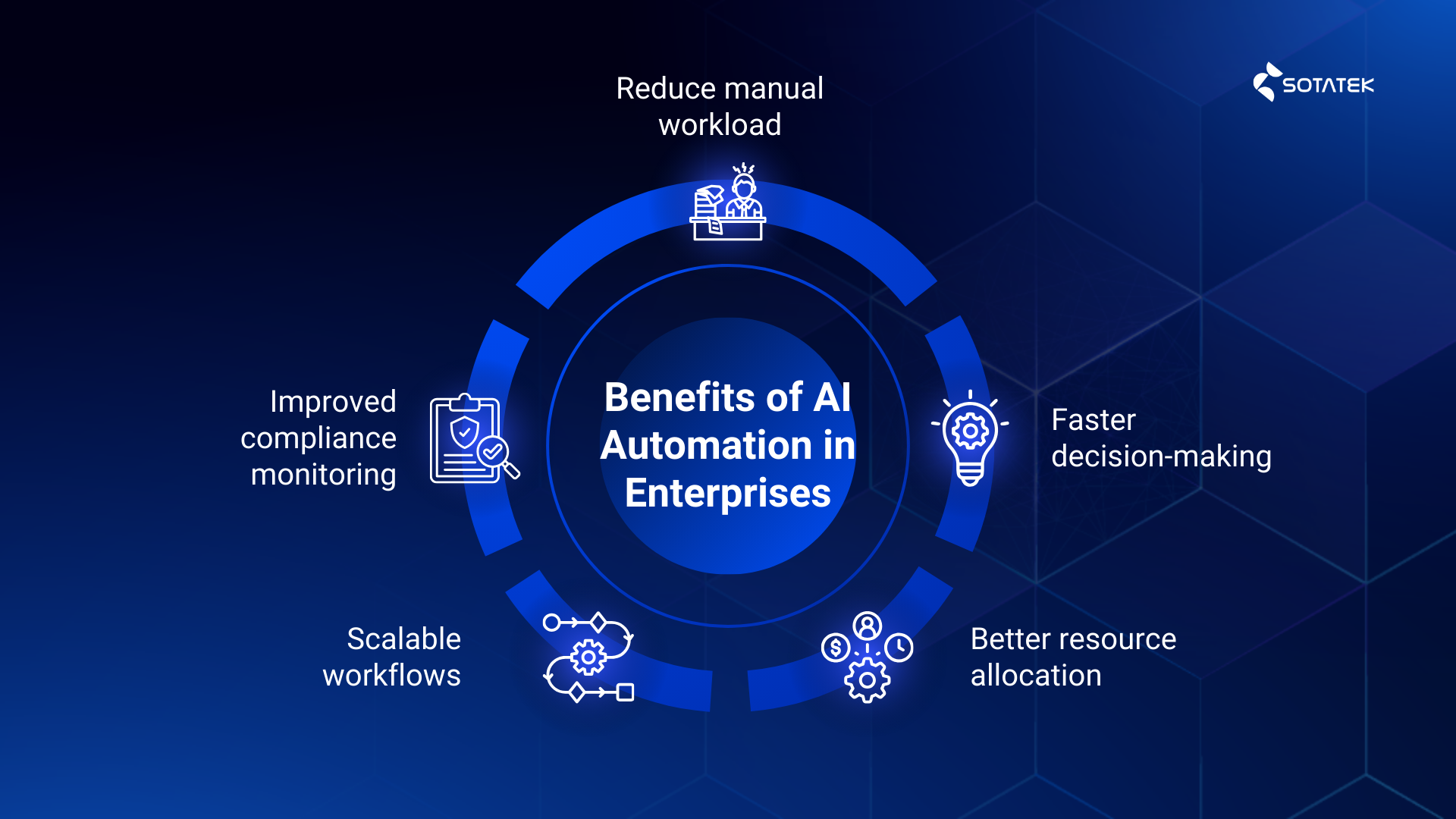
Reduced manual workload
In many enterprises, the real bottleneck lies in the invisible grind. Legal, finance, and operations teams spend days combing through repetitive documents and fixing small errors that turn into big delays. A classic example is JPMorgan’s Contract Intelligence (COiN), built to interpret commercial loan agreements. What used to consume massive human effort each year was compressed into a machine-led workflow that reviews documents in seconds, reportedly saving about 360,000 hours of annual work for lawyers and loan officers. The problem it solved was not just speed, it was consistency at scale, fewer missed details, fewer handoff delays, and less “busywork” that blocks higher-value decisions
Faster decision-making
In security operations, minutes matter, but incident response often slows down because analysts must stitch together alerts, logs, and context across multiple tools. AI automation shifts that workflow from manual hunting to guided action. Microsoft describes Security Copilot as enabling defenders to respond to incidents within minutes instead of hours or days, by summarizing events, surfacing context, and providing step-by-step guidance through a natural-language investigation experience. The benefit is not only speed, it also reduces cognitive overload in high-pressure moments, helping teams prioritize what is urgent and act with confidence.
Better resource allocation
Enterprise operations often waste resources because humans cannot continuously optimize complex systems in real time. Data centers are a perfect illustration: thousands of sensors, shifting loads, and ever-changing environmental conditions make manual tuning inefficient. DeepMind reported that its machine learning system consistently achieved a 40% reduction in energy used for cooling at Google data centers. This is a clean story of AI automation solving a very practical enterprise problem: turning operational complexity into measurable savings, freeing budget and capacity for growth, while also improving efficiency outcomes that stakeholders increasingly demand.
Scalable workflows
Traditional automation breaks as soon as a process meets real enterprise complexity: exceptions, cross-team dependencies, and multi-step coordination. AI automation in enterprises scales better because it can handle more variability and orchestrate work across systems with human oversight. McKinsey describes AI-powered agents evolving into “virtual coworkers” that can plan and execute complex tasks in workflows, including multistep processes like interacting with customers and processing transactions. In practice, this is what scalability looks like: not just doing the same task faster, but reliably running end-to-end workflows across regions, products, and policies without multiplying headcount or creating brittle rule sprawl.
Improved compliance monitoring
As enterprises automate more decisions, compliance shifts from periodic checks to continuous monitoring. AI automation supports this by making controls measurable, traceable, and repeatable across workflows. Frameworks and standards are increasingly used as guardrails for enterprise programs. The NIST AI Risk Management Framework is designed to help organizations manage risks and improve trustworthiness across the AI lifecycle, which strengthens governance and audit readiness.
On the management-system side, ISO/IEC 42001 specifies requirements for establishing and continually improving an AI management system (AIMS), giving enterprises a structured way to operationalize responsible AI at scale. Together, these approaches help organizations detect issues earlier, standardize evidence for audits, and reduce compliance surprises as automation expands.
Where Enterprises Apply AI Automation
Finance & Risk
In enterprise finance and risk, the pain is usually the same: high-stakes decisions trapped behind slow, manual verification. Teams spend countless hours reading contracts, validating terms, checking policy alignment, and preparing audit-ready evidence. AI automation helps by turning that heavy review work into a repeatable workflow that can extract clauses, flag risk signals, and route exceptions to the right approver.
The JPMorgan COiN example referenced above highlights how AI automation reduces document-review burden while improving consistency, which is exactly what finance and risk teams need when volume grows but risk tolerance stays low.
Operations & Supply Chain
Operations teams rarely lose sleep over “one process.” They lose sleep over variability: weather-driven demand swings, supplier delays, inventory imbalances, and the day-to-day reality that warehouse execution must stay fast even when conditions change. AI automation tackles this by making workflows adaptive, predicting what will happen next, and coordinating actions across planning and fulfillment systems.
For quick examples already referenced in the Core Benefits section above: Amazon’s robotics and AI-driven fulfillment workflows show how automation improves throughput and reduces physically strenuous work, while Unilever’s AI-enabled supply chain planning demonstrates how enterprises use AI to respond to volatility, optimize inventory, and reduce waste in a seasonal global network.
Customer Support
Enterprises apply AI automation to triage tickets, draft responses, automate knowledge retrieval, and handle routine inquiries. Klarna’s rollout of an AI assistant shows what happens when AI automation is applied to the real pain points: containment, repeat contact, and resolution time. In its first month, Klarna reported the assistant handled two-thirds of customer service chats across 2.3 million conversations, doing the equivalent work of 700 full-time agents. More importantly, it reduced friction for customers, with errands resolved in under 2 minutes vs. 11 minutes previously, and repeat inquiries dropping by 25%, signaling that issues were getting solved more completely, not just faster.
HR & Workforce
HR in large organizations fights two battles at once: hiring and developing skills at scale. Recruitment teams face overwhelming application volume, while leaders struggle to understand what capabilities exist inside the workforce, where gaps are forming, and how to move people into the right roles quickly.
Unilever’s experience is often cited because it targets a very specific operational constraint: the time and cost trapped in early-stage screening and interviewing. Answering The Guardian, Unilever proudly announced that AI in its graduate recruitment process helped save 100,000 hours of interviewing time and around $1 million in recruitment costs each year.
With skill visibility being a quieter enterprise problem but still holds the same impact, we choose to highlight PwC’s Workday Skills Cloud case study. PwC reports a 90% increase in recorded skills in one year, supported by a global dashboard and skills maturity matrix. That is AI automation applied to workforce intelligence: turning scattered, informal knowledge about skills into structured data that enables better staffing, internal mobility, and training investment decisions at enterprise scale.
IT & Security
Security operations and IT service management are prime targets for AI automation because signals are high-volume and time-sensitive. The Microsoft Security Copilot example referenced earlier is a clear illustration of this value: AI-assisted workflows can compress response time, reduce cognitive load for analysts, and keep teams focused on the highest-impact threats instead of repetitive investigation work.
Read more: AI Automation Examples: Use Cases Across Industries
Key Challenges of Enterprise AI Automation

Data silos
AI automation is only as strong as the data flows behind it. Fragmented ownership, inconsistent definitions, and limited data access create brittle automations and unreliable outputs.
Integration complexity
Enterprises need secure connectivity across ERP, CRM, identity, ticketing, and data platforms. Without a clear integration strategy, AI automation becomes disconnected point solutions.
Governance & compliance
Regulation and risk expectations are rising. In the EU, the AI Act entered into force on August 1, 2024, setting a risk-based compliance direction for AI systems. Enterprises are increasingly aligning programs to governance frameworks like NIST AI RMF and management-system standards such as ISO/IEC 42001.

Change management
Adoption fails when AI is “bolted on” without redesigning workflows, incentives, and accountability. Teams need training, clear human-in-the-loop boundaries, and metrics that reward quality, not just speed.
Employee’s well-being
AI can unintentionally intensify work. Harvard Business Review highlights how AI tools increase expectations, pace, and cognitive load, rather than reducing work as promised. HBR also notes that poorly introduced AI can threaten professional identity and autonomy, driving resistance and stress. Beyond perception, research on algorithmic management warns that continuous monitoring and performance pressure from automated metrics can contribute to stress, anxiety, and burnout when oversight and safeguards are weak.
Read more: Challenges of AI Automation: Key Obstacles Businesses Must Overcome
Enterprise Readiness for AI Automation
Data maturity
Enterprise AI automation succeeds when data is trustworthy, accessible, and consistently defined. That means clear ownership of critical fields, shared taxonomies, governed access, and ongoing quality checks, not a one-time cleanup. AI-driven workflows rely on dependable identifiers, event logs, and source-of-truth systems so automations can make the right decisions and stay stable as volume grows.
System architecture
Readiness is less about buying another platform and more about ensuring your environment can support orchestration at scale. Prioritize API-first integration, secure identity and access controls, observability, and resilient data pipelines. With these foundations, AI automation can operate as a composable layer that connects ERP, CRM, ticketing, and data platforms without becoming brittle when systems change.
Leadership alignment
AI automation in enterprises needs shared accountability across business, IT, security, compliance, and HR. Leadership alignment means agreeing on what success looks like before implementation: cycle time, error rates, customer outcomes, cost-to-serve, audit readiness, and also employee impact. It also means funding the operating model, not just the pilot, so governance, monitoring, and continuous improvement are built in from day one.
Process standardization
The fastest way to fail is to automate a process nobody fully understands. Enterprises should start by mapping how work actually flows across teams, then standardize inputs, decision rules, and exception handling. Process mining is often used to validate real execution paths and identify bottlenecks before scaling automation, which reduces rework and prevents “automating chaos.”
Conclusion
AI automation in enterprises is a strategic capability, not a quick productivity hack. The biggest gains come when companies treat AI automation as an architecture shift: combining data foundations, orchestration, governance, and human-centered workflow design. Enterprises that win will build systems where AI can handle routine execution, humans focus on judgment and relationship work, and leadership can scale decisions without scaling chaos. SotaTek, with 11+ years of experience and specialization in AI development services, can help organizations design responsible AI automation programs that integrate with existing platforms, meet compliance needs, and deliver measurable business value..
SotaTek State of the Art Technology:
Website https://www.sotatek.com
Facebook: https://www.facebook.com/sotatek

 https://www.sotatek.com/
 (+84)2466585248